Tutorial for OAuth2 config with Entra ID or Azure AD
This section is a basic step-by-step tutorial for OAuth2 config with Entra ID
Prerequisites
- Simplicité instance with designer access
- A test account in your Entra ID organisation to test the login
Tutorial
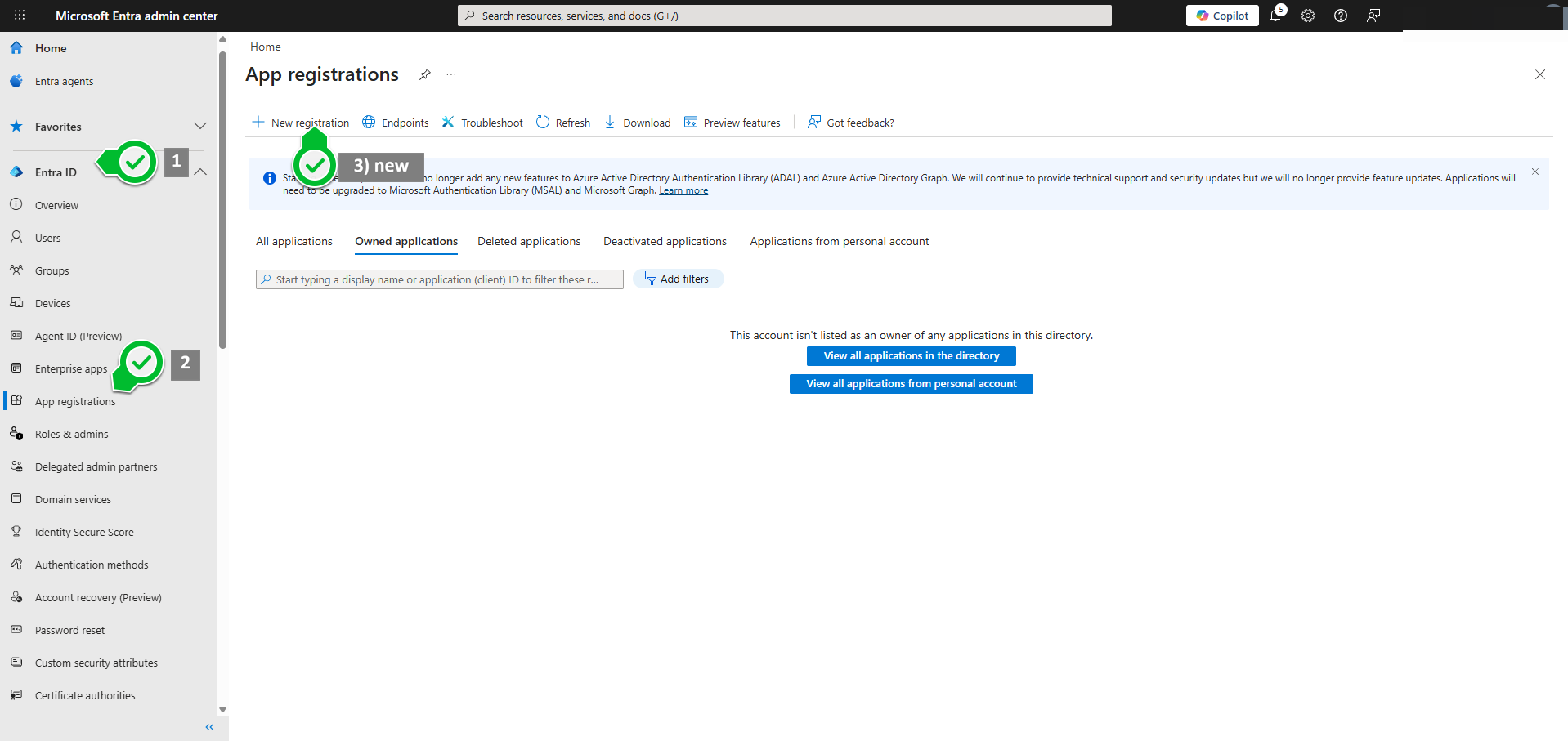
1 - New app registration
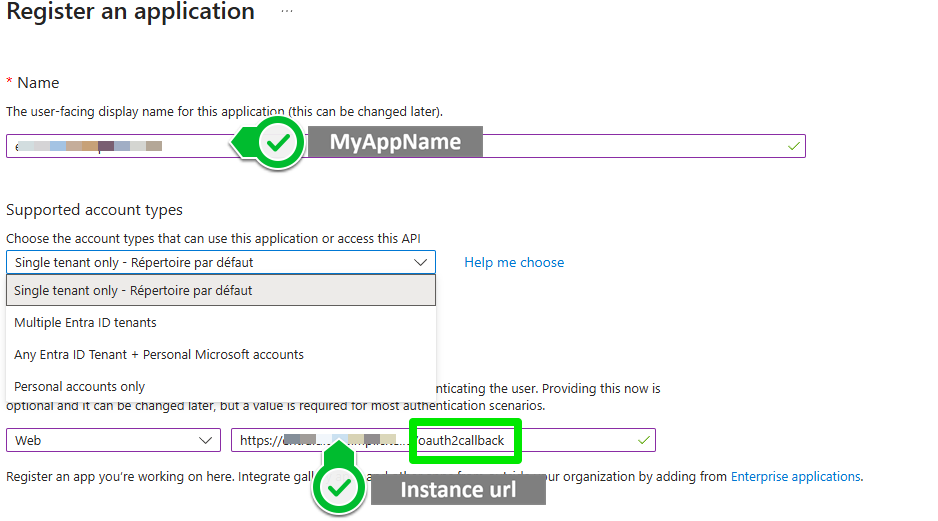
2 - Register
3 - Locate some of the endpoint data
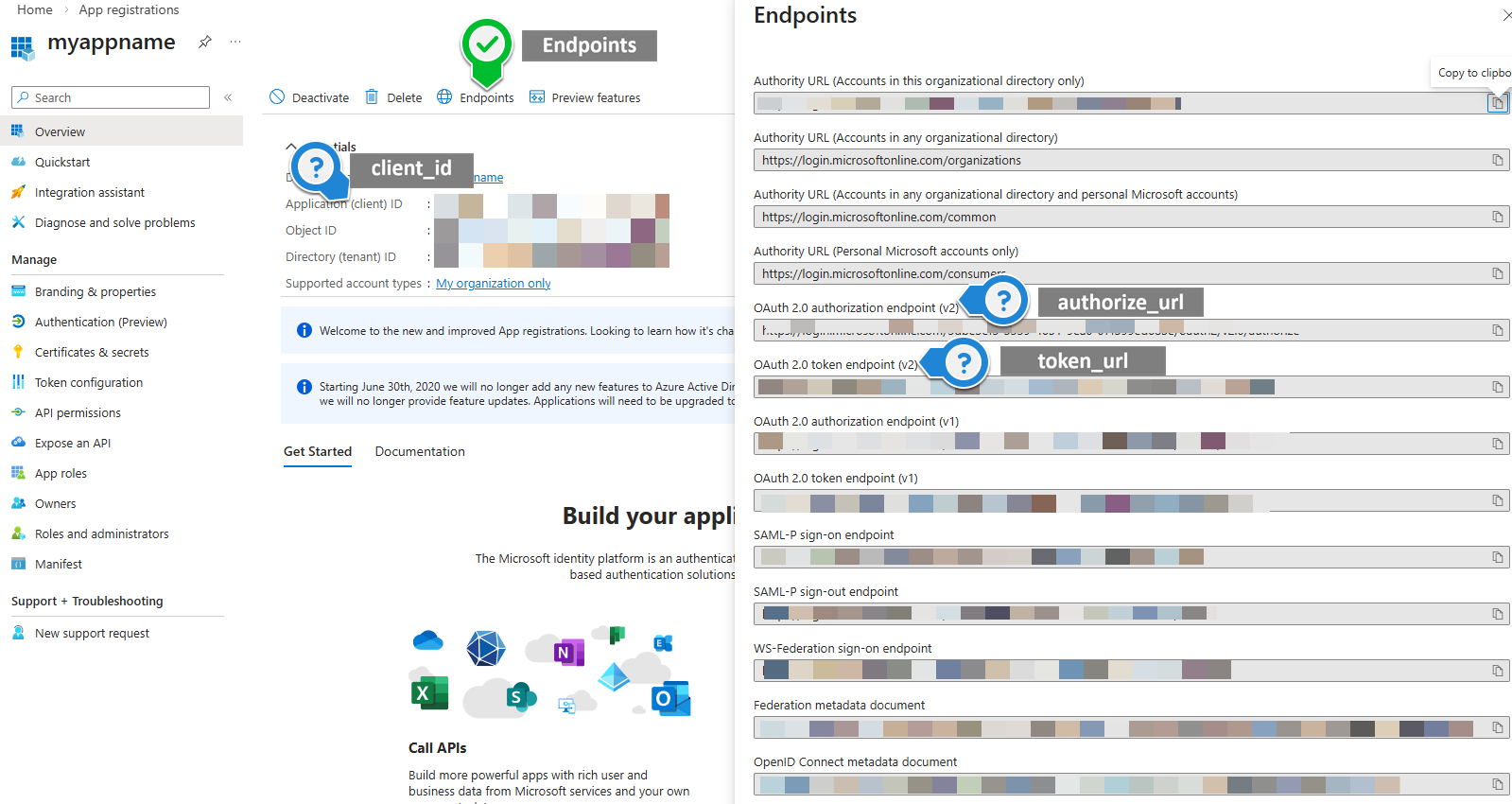
NB: depending on the "supported account types" selected on step 2, your authorisation and token URLs might or might not contain the tenant ID
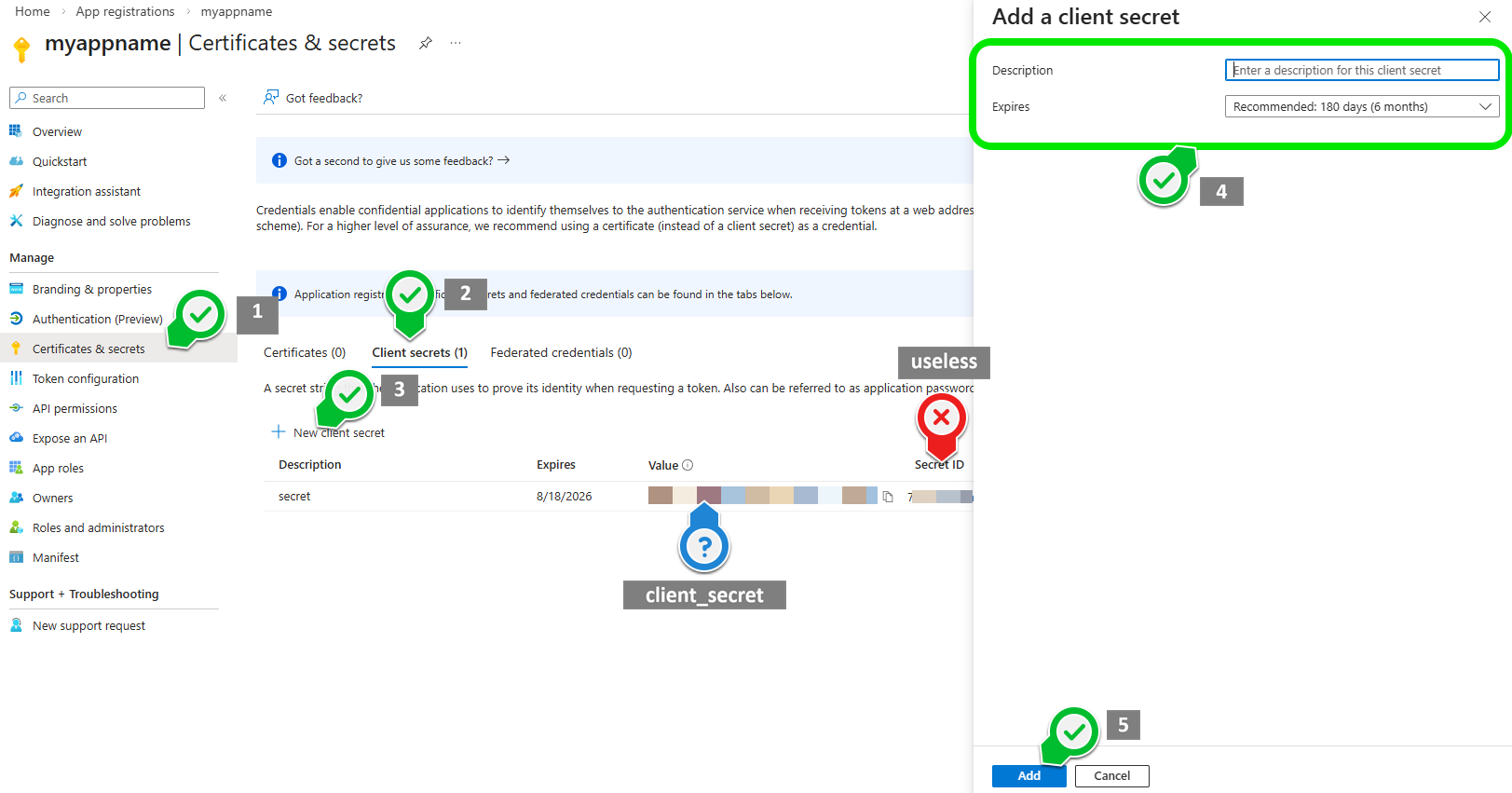
4 - Generate and save secret
Warning: The secret value only shows once, make sure to copy it
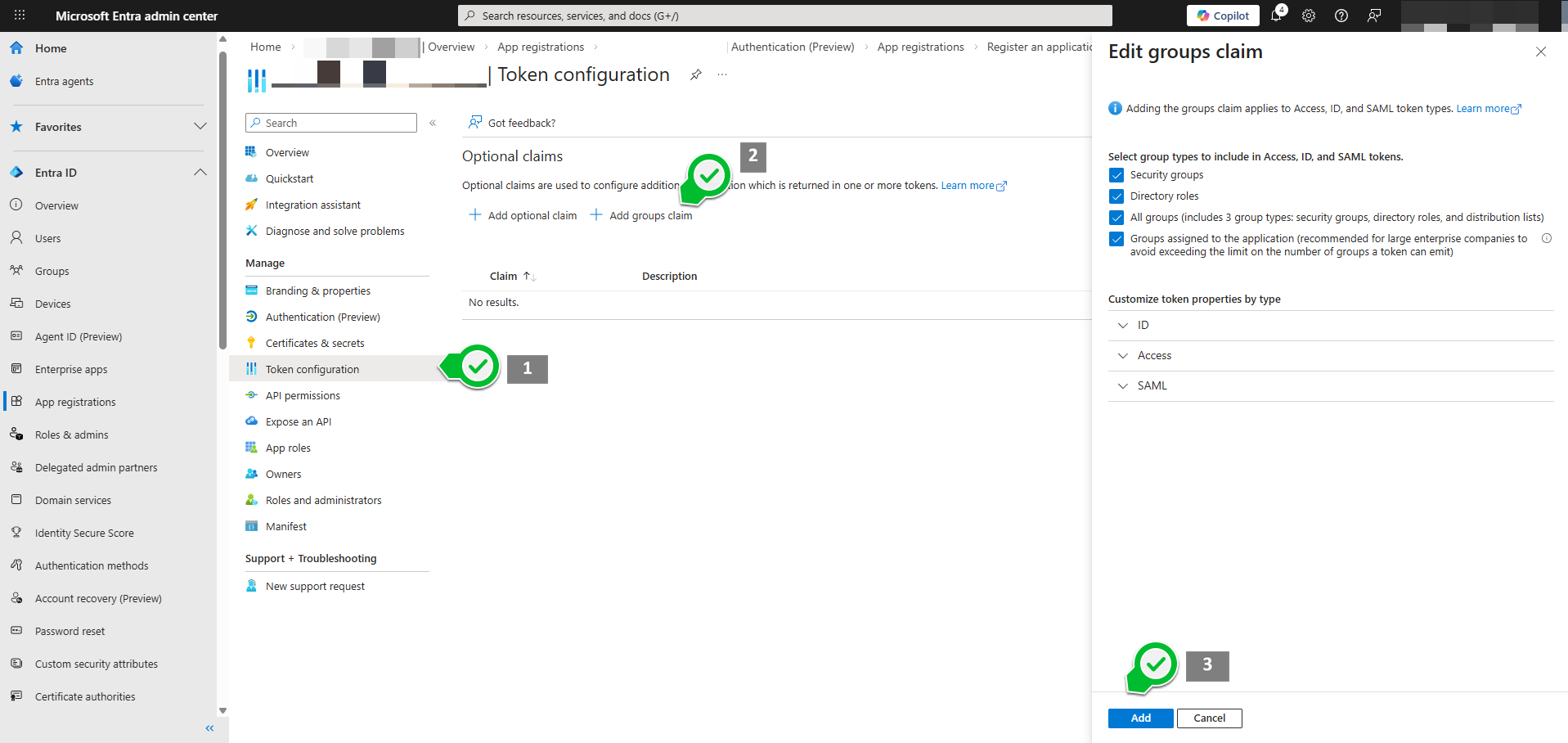
5 - Authorise user on your app (add claims)
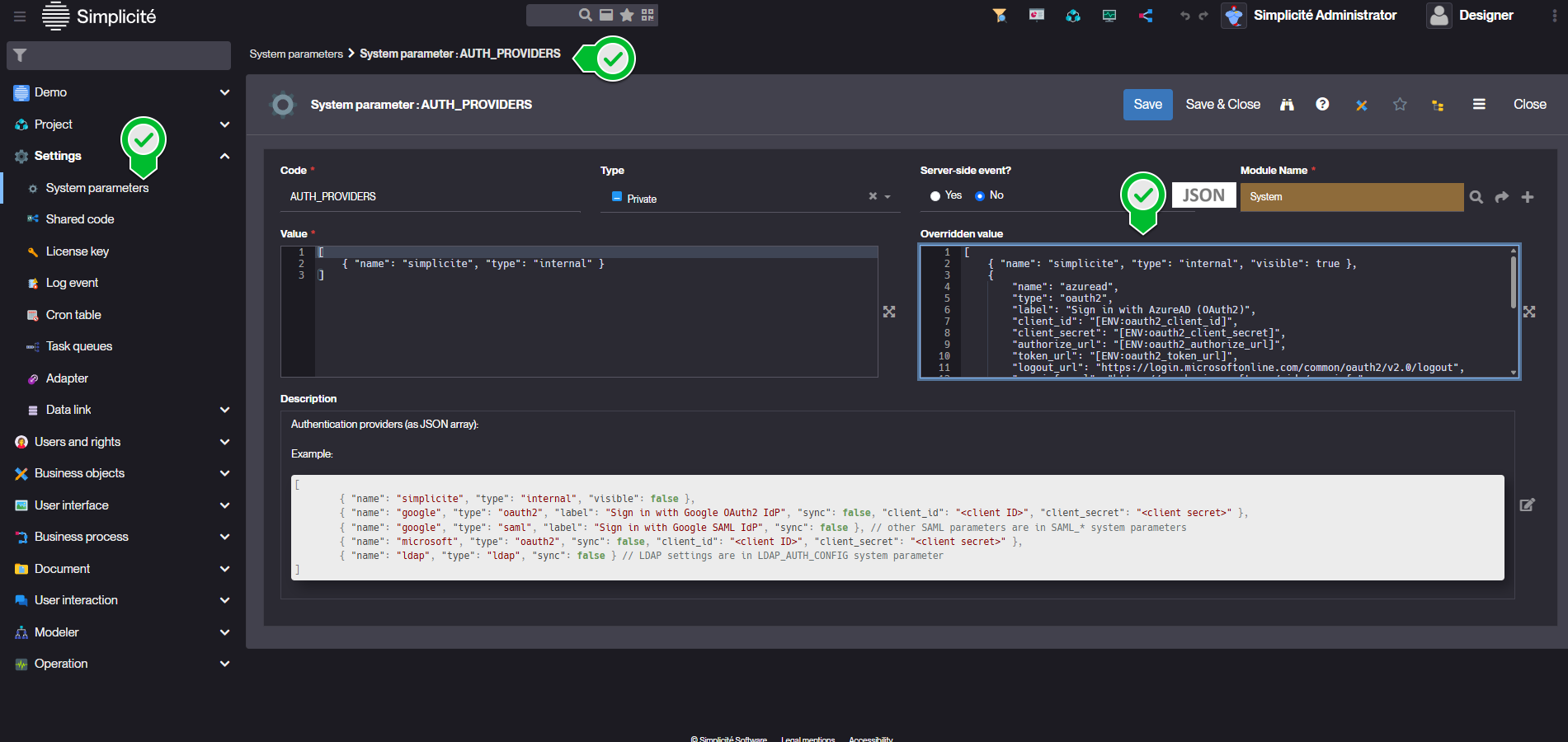
6 - Add Azure as an Authentication Provider through the AUTH_PROVIDERS System Parameter
For security reasons we recommend transmitting secrets to the platform as environment variables.
Set oauth2_client_id oauth2_client_secret oauth2_authorize_url and oauth2_token_url with the values from previous steps (blue marks)
[
    { "name": "simplicite", "type": "internal", "visible": true },
    {
        "name": "azuread",
        "type": "oauth2",
        "label": "Sign in with AzureAD (OAuth2)",
        "client_id": "[ENV:oauth2_client_id]",
        "client_secret": "[ENV:oauth2_client_secret]",
        "authorize_url": "[ENV:oauth2_authorize_url]",
        "token_url": "[ENV:oauth2_token_url]",
        "logout_url": "https://login.microsoftonline.com/common/oauth2/v2.0/logout",
        "userinfo_url": "https://graph.microsoft.com/oidc/userinfo",
        "userinfo_mappings": {
            "login":"email"
        },
        "sync": true,
        "visible": true
    }
]
To avoid Simplicité mapping account pictures you can map picture to none in userinfo_mappings:
"userinfo_mappings": {
    "login":"email",
    "picture":"none"
},
7 - Implement some group attribution
This step needs customisation to fit your own scenario
package com.simplicite.commons.Application;

import java.util.*;
import com.simplicite.util.*;
import com.simplicite.util.tools.*;

/**
 * Platform Hooks
 */
public class PlatformHooks extends com.simplicite.util.engine.PlatformHooksInterface {
    @Override
    public void preLoadGrant(Grant g) {
        if("azuread".equals(g.getSessionInfo().getProvider())){
            String userId = Grant.getUserId(g.getLogin());
            Grant.removeAllResponsibilities(userId);
            Grant.addResponsibility(userId, "DEMO_ADMIN");
            AppLog.info("Detected AzureAD login : " + g.getLogin() + " (" + userId + "). Forcing responsibilities.", null);
        }
    }
}
8 - Add and map custom claims
You can add custom JWT claims and map them to user fields.
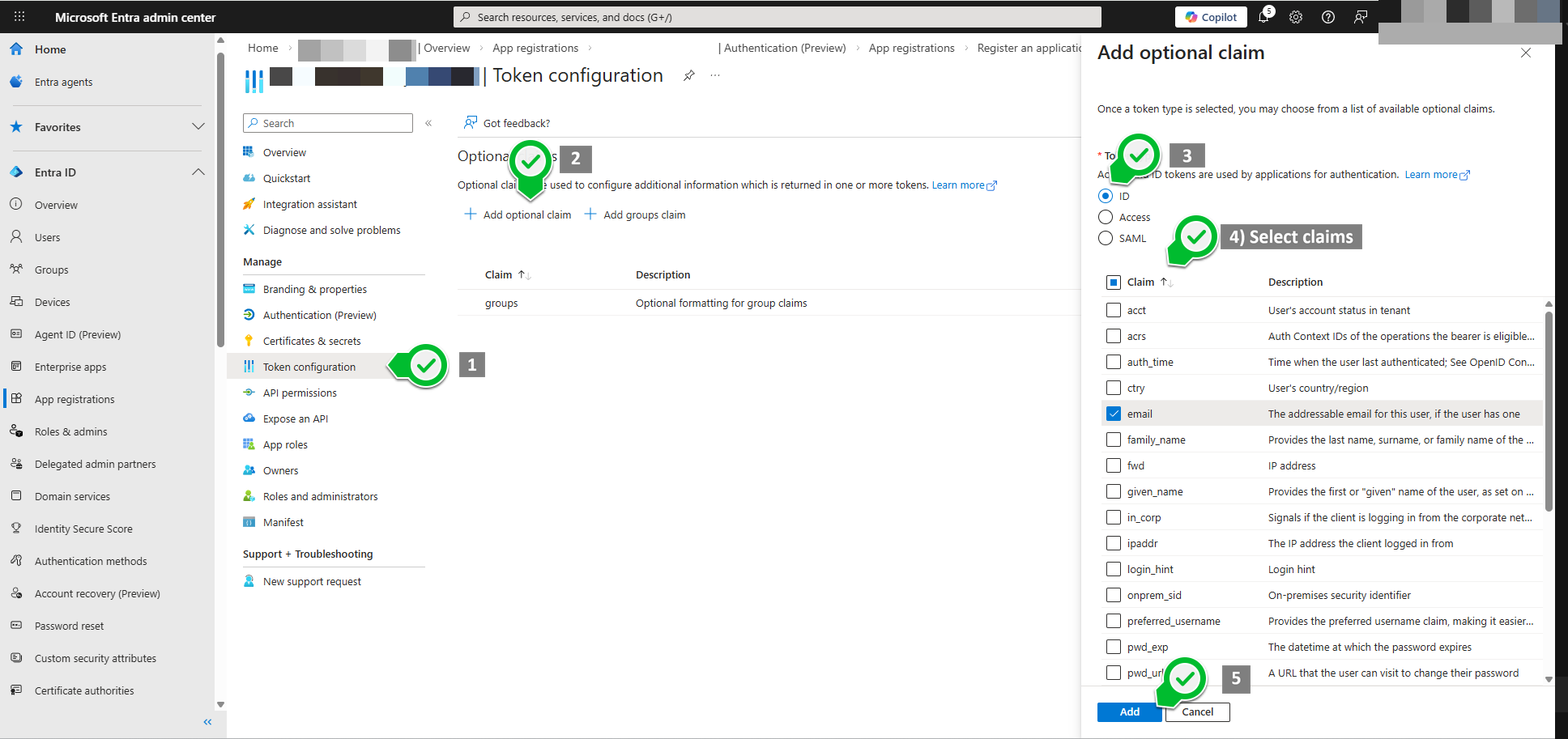 Update the
 AUTH_PROVIDERS system parameter to map these claims:
[
    { "name": "simplicite", "type": "internal", "visible": true },
    {
        "name": "azuread",
        "type": "oauth2",
        "label": "Sign in with AzureAD (OAuth2)",
        "client_id": "[ENV:oauth2_client_id]",
        "client_secret": "[ENV:oauth2_client_secret]",
        "authorize_url": "[ENV:oauth2_authorize_url]",
        "token_url": "[ENV:oauth2_token_url]",
        "logout_url": "https://login.microsoftonline.com/common/oauth2/v2.0/logout",
        "userinfo_url": "https://graph.microsoft.com/oidc/userinfo",
        "userinfo_mappings": {
            "picture":"none"
        },
        "jwt_claims_mappings": {
            "login":"email"
        },
        "sync": true,
        "visible": true
    }
]