Widgets
Widgets are easily configurable external objects, usually used to compose home pages.
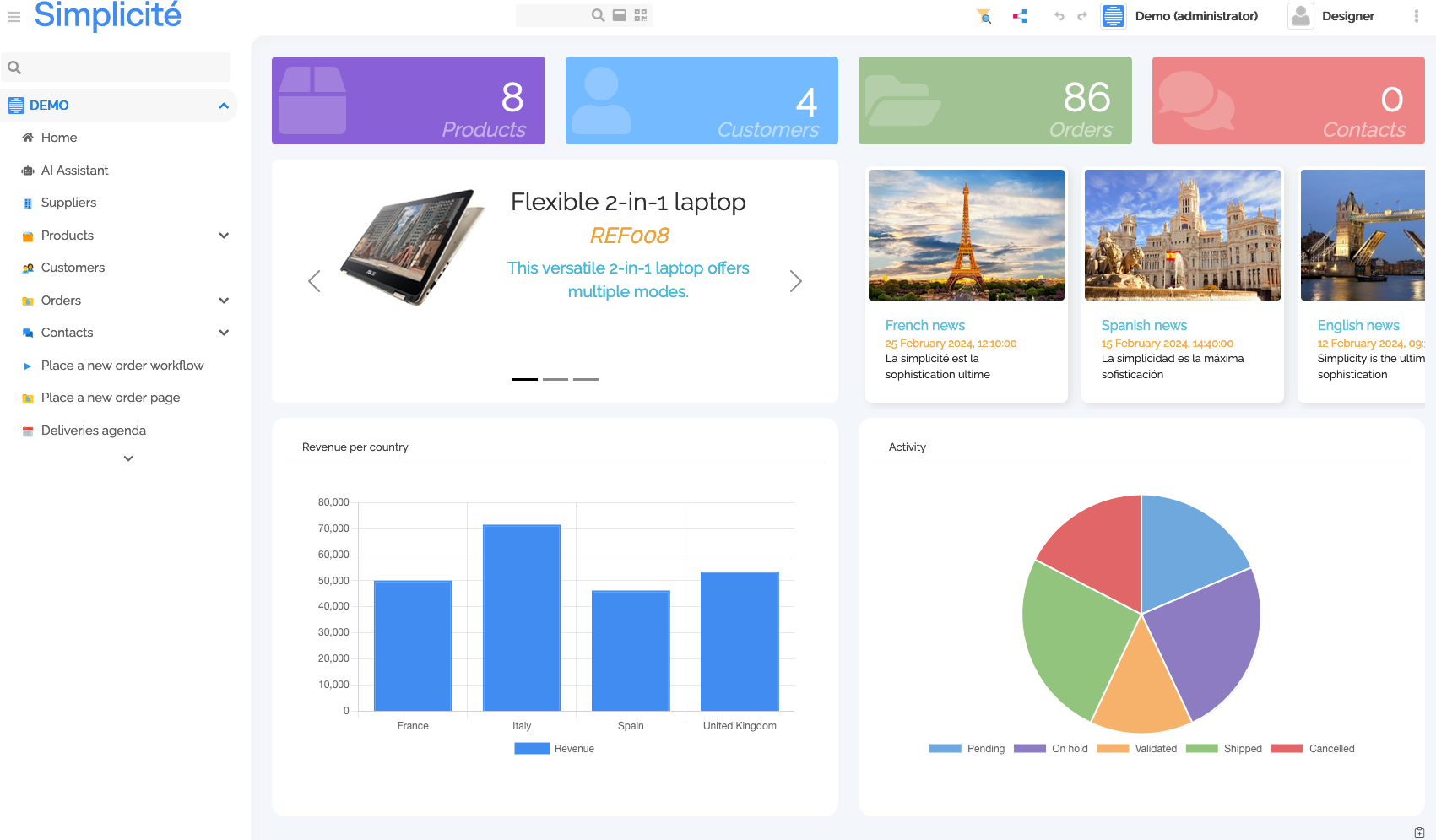
How to integrate widgets
This is just a reminder, as widgets just build on the existing external objects
- create a view (home page, domain home, etc)
- through the view template editor, add a view area
- type : External Page
- source : External Object
- External Object : "MyCounterName" (copy that name)
- create a new External Object
- name: "MyCounterName"
- UI Widget: Yes
- Nature: UI Page or component
- Class: one of the available widgets class, see bellow
Counters
The Counters external object widget (class: com.simplicite.webapp.web.widgets.CountersExternalObject)
displays the count(s)/aggregate(s) of some specified objects.

Configuration is done like such in the configuration field of the external object:
- color must be an available CSS class, typically one of the color classes
- name is the functional name of the object you need to count
- icon is one of the available SVG icons in the app
{
    "objects": [
        {
            "color": "violet",
            "name": "MyObject",
            "icon": "fas/box"
        }
    ]
}
Carousel
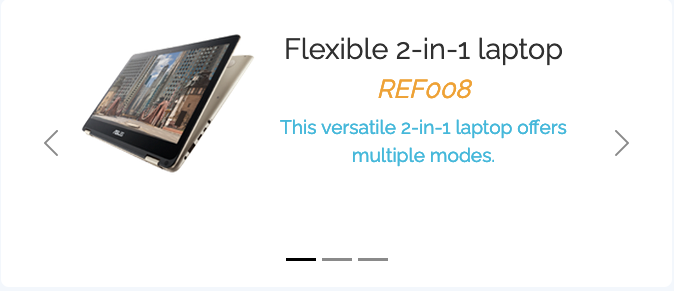
The Carousel external object widget (class: com.simplicite.webapp.web.widgets.CarouselExternalObject)
displays a carousel of data and is configured with the following JSON:
{
    "name": "DemoProduct",
    "imageField": "demoPrdPicture",
    "titleField": "demoPrdName",
    "subTitleField": "demoPrdReference",
    "descriptionField": "demoPrdDescription",
    "filters": {
        "demoPrdFeatured": true
    },
    "height": "18rem"
}
Cards

The Cards external object widget (class: com.simplicite.webapp.web.widgets.CardsExternalObject)
displays data as cards and is configured with the following JSON:
{
    "name": "WebNews",
    "titleField": "nws_title",
    "subTitleField": "nws_human_readable_date",
    "imageField": "nws_image",
    "descriptionField": "nws_description",
    "onclick": false,
    "cardWidth": "15rem",
    "rowClasses": "row-horizontal"
}
Accordion
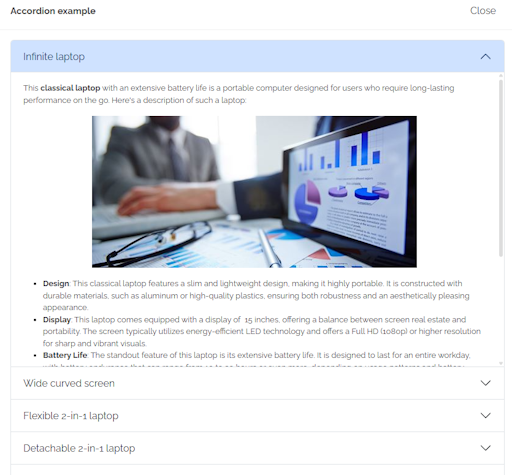
The Accordion external object widget (class: com.simplicite.webapp.web.widgets.AccordionExternalObject)
displays data as a basic accordion and is configured with the following JSON:
{
  "titleField": "demoPrdName",
  "name": "DemoProduct",
  "contentField": "demoPrdDocumentation"
}
Time line
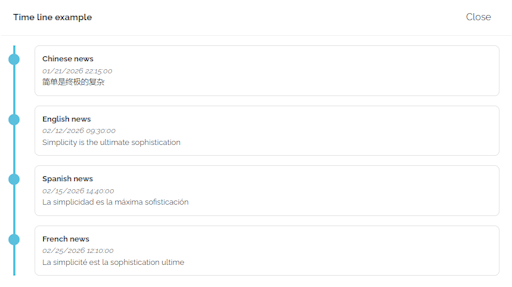
The Time line external object widget (class: com.simplicite.webapp.web.widgets.TimelineExternalObject)
displays data as a basic time line and is configured with the following JSON:
{
  "name": "WebNews",
  "titleField": "nws_title",
  "dateField": "nws_date",
  "contentField": "nws_description",
  "filters": {
    "order__nws_date": 1
  }
}
Mermaid chart
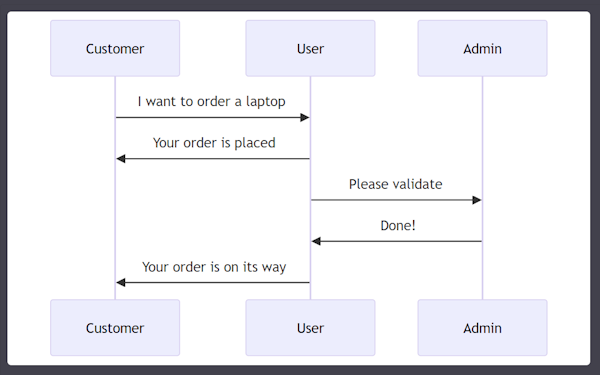
The Mermaid external object widget (class com.simplicite.webapp.web.widgets.MermaidExternalObject)
displays a Mermaid charts from a specification.
The principle is to provide the Mermaid specification either statically in the settings of the external object:
e.g.
sequenceDiagram
    Customer->>User: I want to order a laptop
    User->>Customer: Your order is placed
    User->>Admin: Please validate
    Admin->>User: Done!
    User->>Customer: Your order is on its way
or dynamically using the getMermaidChartSpec hook of the class
Custom chart
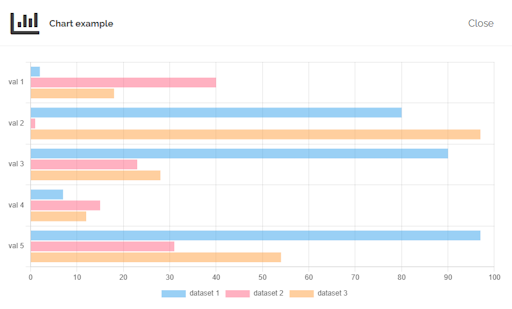
The Custom chart external object widget (class com.simplicite.webapp.web.widgets.ChartjsExternalObject)
displays a Chart.js custom chart from a specification.
The principle is to provide the Chart.js specifications either statically in the settings of the external object:
e.g.
{
  "options": {
    "indexAxis": "y",
    "plugins": {"legend": {"position": "bottom"}}
  },
  "type": "bar"
}
or dynamically using the getChartOptions hook of the class.
And the provide the chart data dynamically using the data hook of the class:
e.g.
private static final int NB_DATASETS = 3;
private static final int NB_VALUES = 5;

@Override
public JSONObject data(Parameters params) {
    JSONArray labels = new JSONArray();
    for (int j = 1; j <= NB_VALUES; j++)
        labels.put("val " + j);

    JSONArray datasets = new JSONArray();
    for (int i = 0; i < NB_DATASETS; i++) {
        JSONArray vals = new JSONArray();
        for (int j = 0; j < NB_VALUES; j++)
            vals.put(Tool.randomNumber(2));

        datasets.put(new JSONObject()
            .put("label", "dataset " + (i + 1))
            .put("data", vals)
            .put("backgroundColor", COLORS[i%COLORS.length]));
    }

    return new JSONObject().put("labels", labels).put("datasets", datasets);
}