List Of Values
What is a List of Values (LOV)?
In Simplicité, a List of Values (LOV) defines the allowed values for an enumerated field.
Each LOV is linked to one or more fields and provides a controlled set of codes whose translated labels are displayed to users based on their language.
LOVs ensure data integrity and provide a standardized input mechanism across the application.
Only the code is stored in the object’s table, while the corresponding translation is displayed in the UI.
Example: A LOV can be used to define a dropdown list for selecting:
- A country
- A status (e.g., Active / Inactive)
- Any other predefined option set
How to create a List of Values?
Creating a List of Values via the UI
We recommend creating Lists of Values directly in Simplicité’s template editor:
- Create the enumerated field and save it.
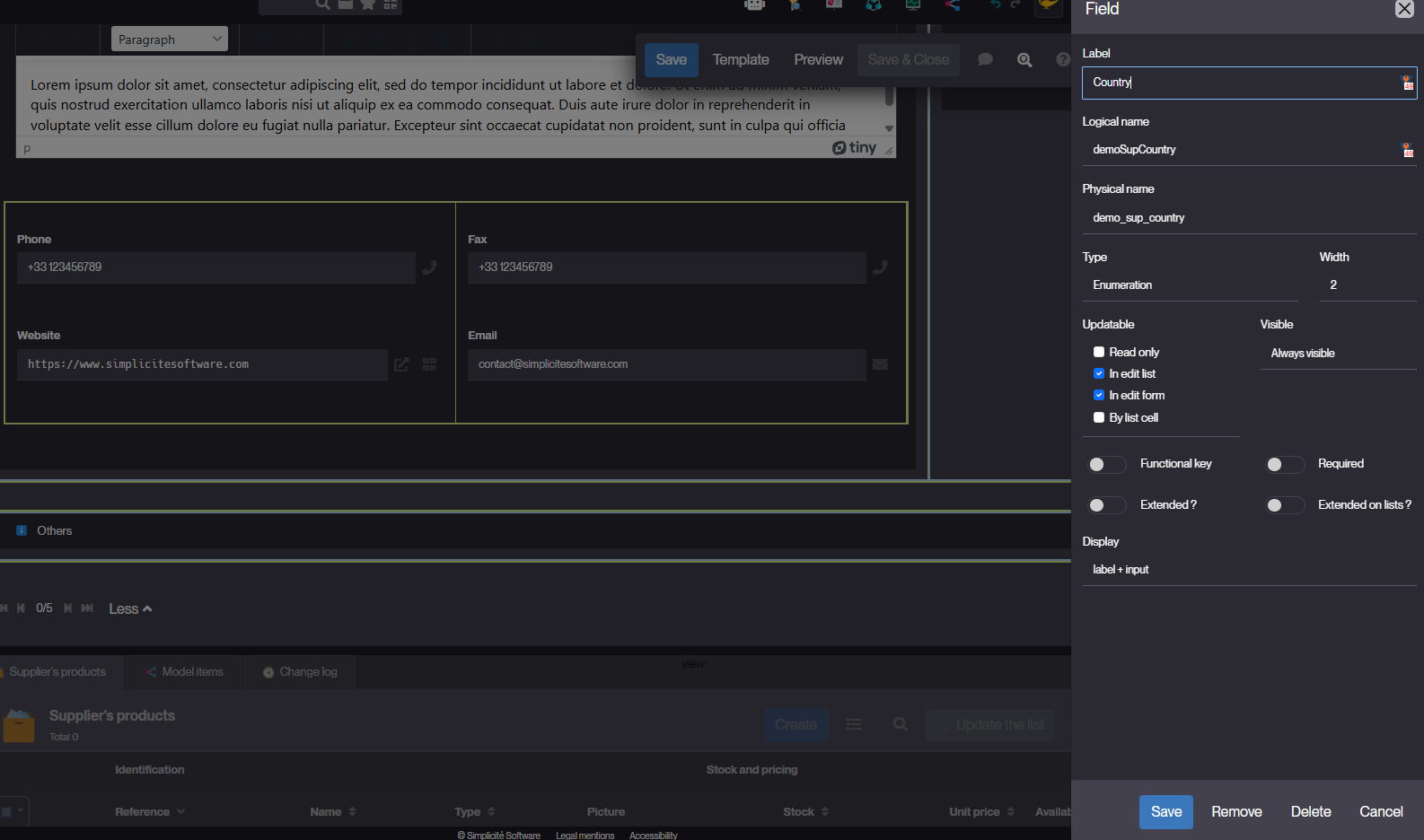
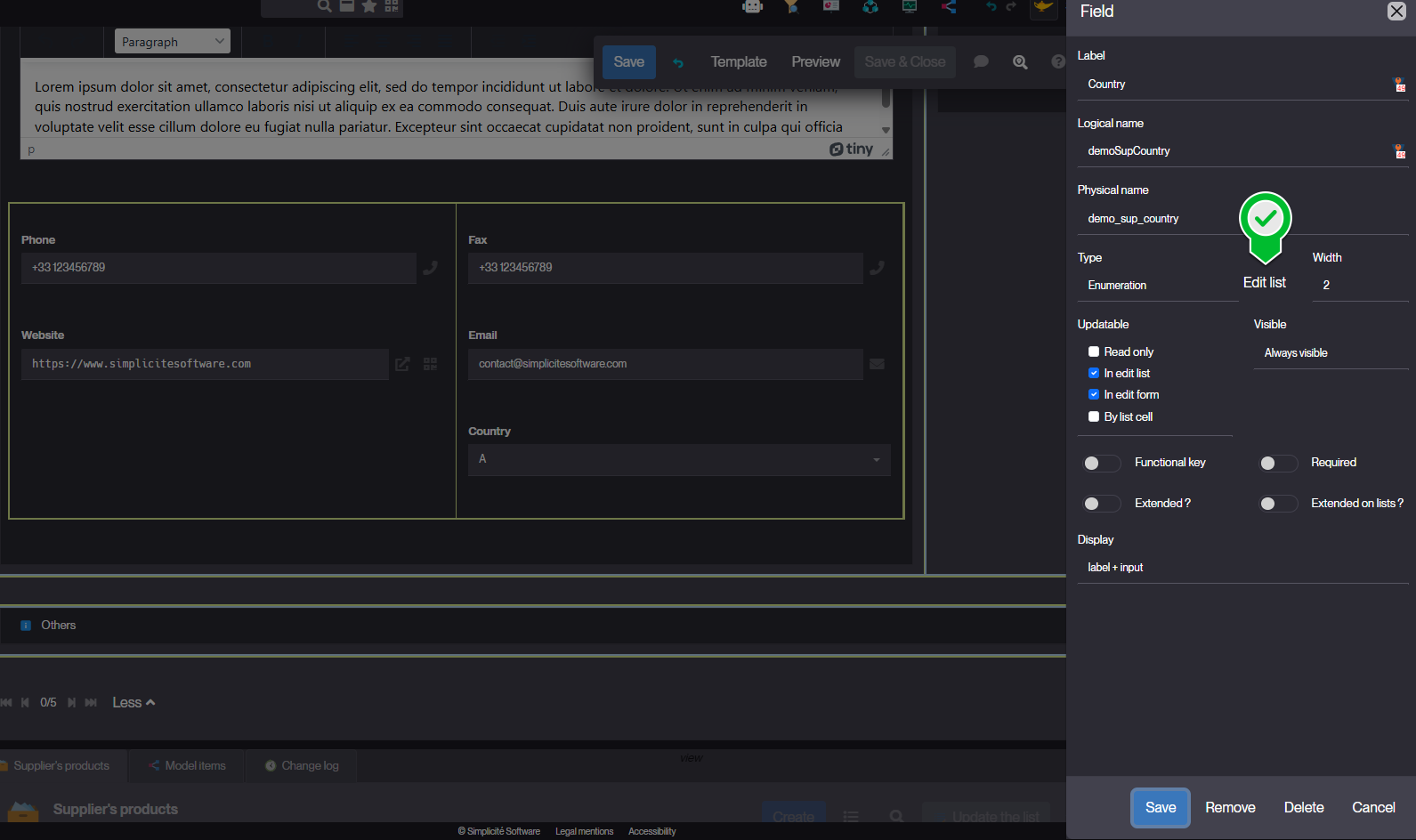
- Re-edit the field configuration. An Edit list button appears.
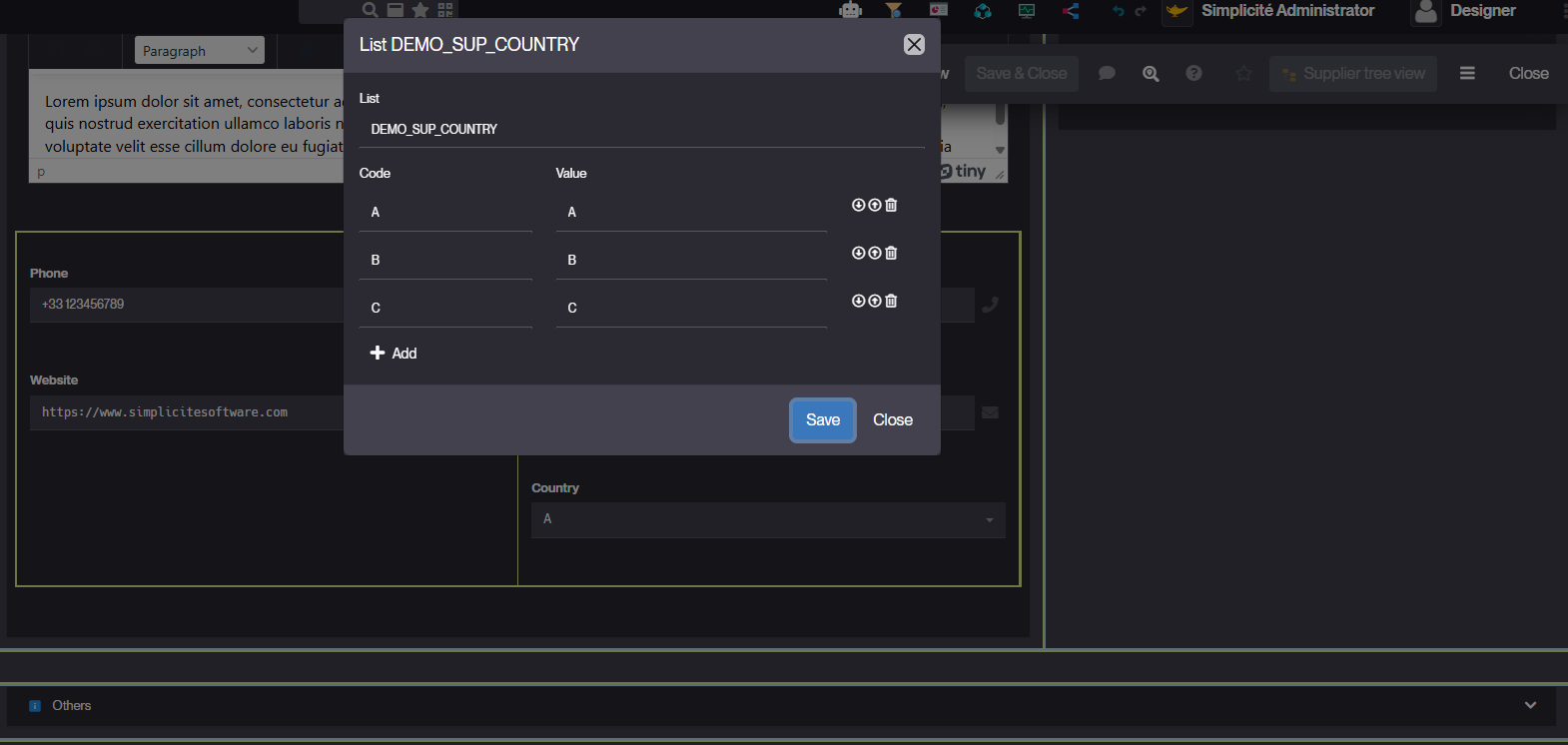
- Enter codes and values, then reorder the list as needed.
Creating a List of Values via the "Business objects" menu
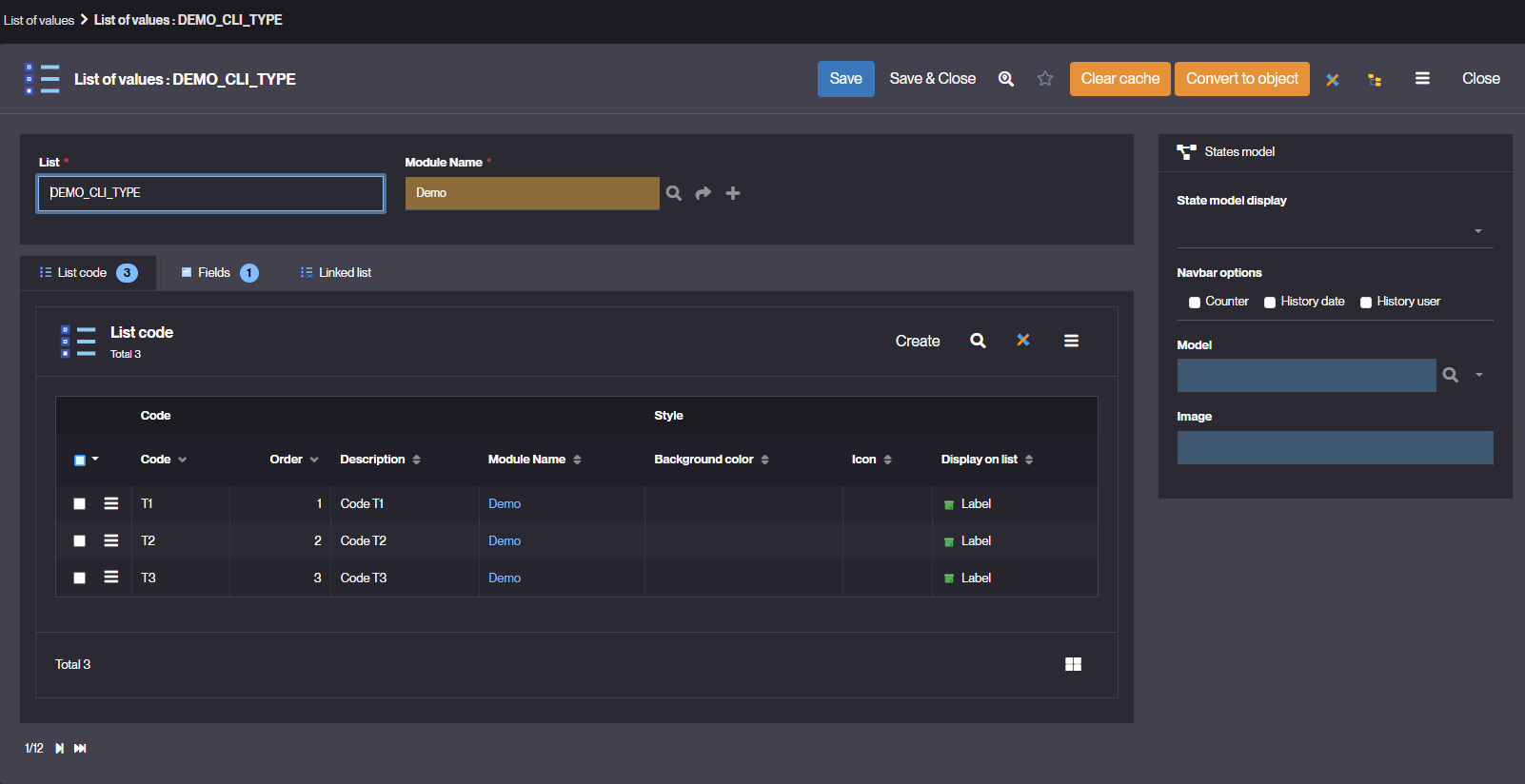
- Navigate to Business objects > List of values.
- Click on Create to add a new list of values.
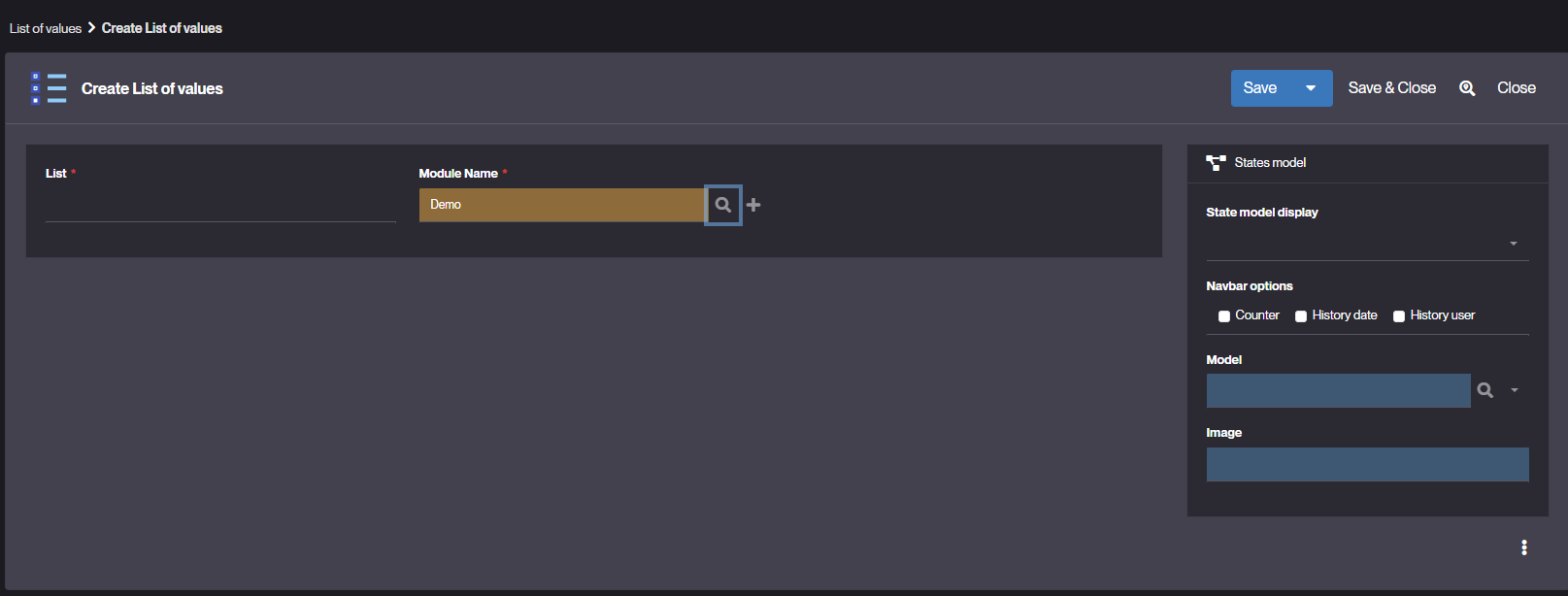
- Fill in the following fields:
- List – Unique identifier of the list of values.
- Module – Define the module to which the LOV belongs.
- Fields specific to state diagram display (if applicable):
- State model display – Choose how the state diagram bar will be displayed if the LOV is linked to a state model:
- Breadcrumb
- Arrows
- Metro line
- Navbar options – Select what is displayed on milestones:
- Counter: step counter
- History Date: Last transition date
- History User: User who performed the last transition
- Optional Model – (Optional) Link the LOV to an existing state diagram model.
- State model display – Choose how the state diagram bar will be displayed if the LOV is linked to a state model:
- Save your List of Values.
Reminder
For each LOV, define the codes and their order. The application will automatically display the translation of each code value in the user's language.