Timesheet
What is a Timesheet?
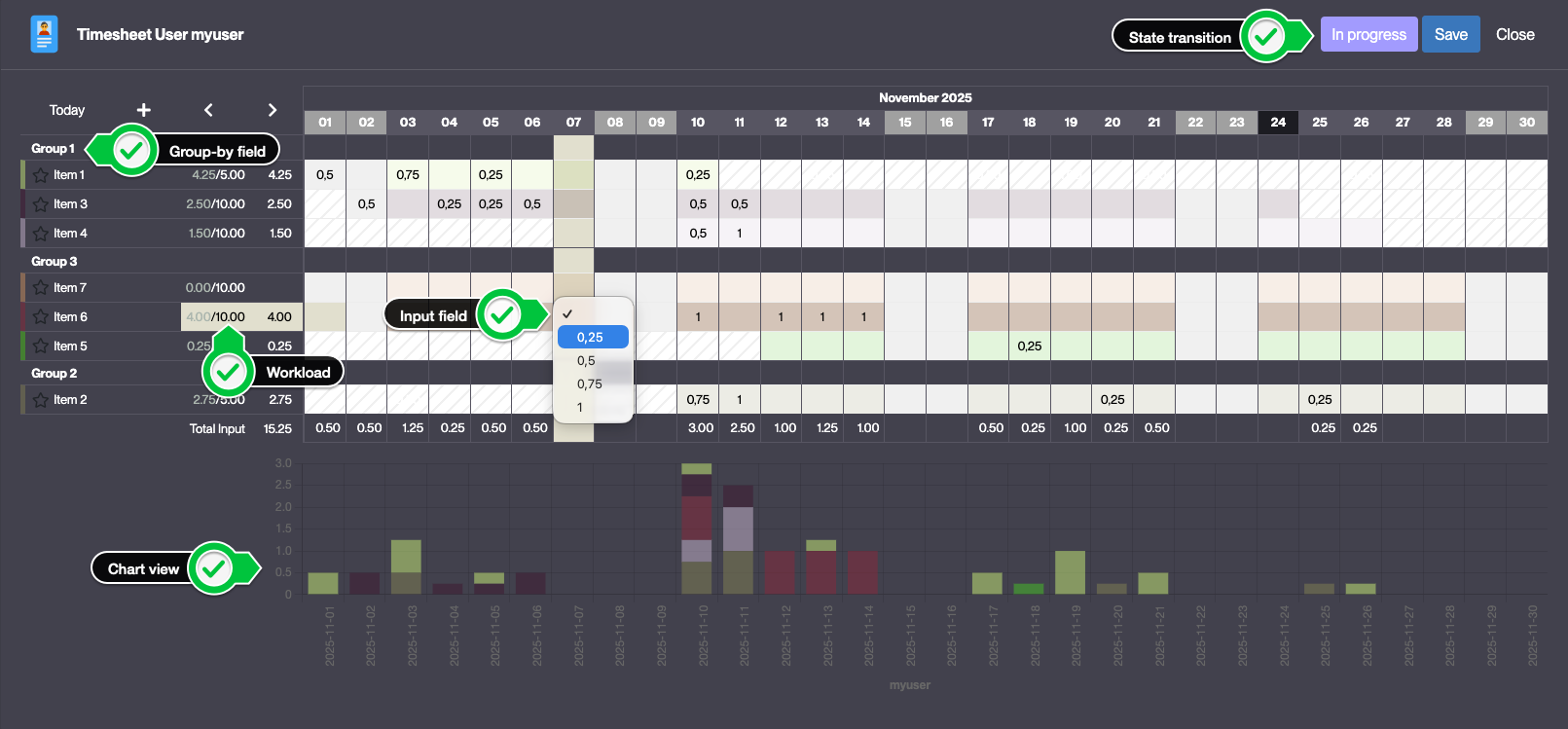
A Timesheet is a view that allows users to enter workload data for a given period.
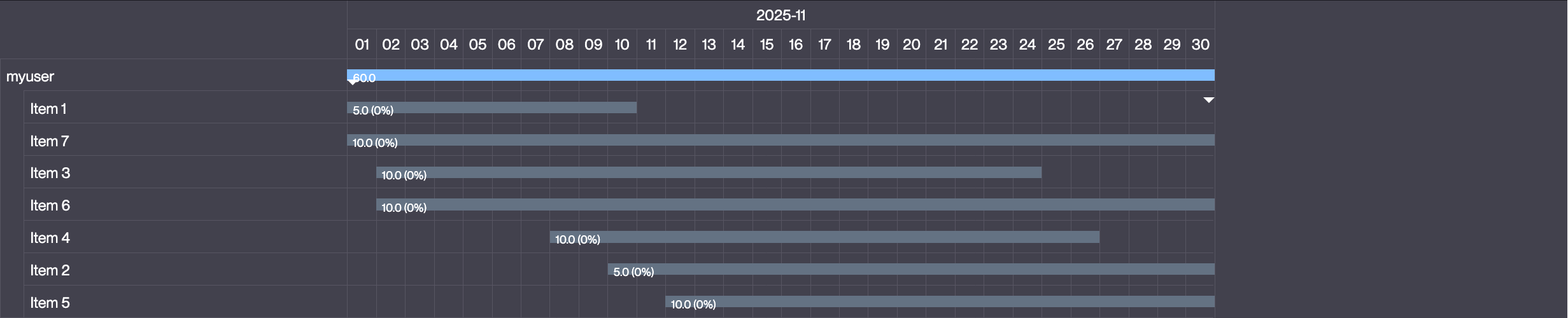
Timesheets can also be used to display Gantt charts.
Timesheet view example
Gantt view example
How to create a Timesheet?
In order to create a Timesheet, several prerequisites must be met:
- Two "resources" objects must be created:
- One object representing the resource (e.g. a user)
- One object representing the assignment of the resource to a period (e.g. a project)
- An N,N object between the two resources objects must be created. This object will be used to store the workload data.
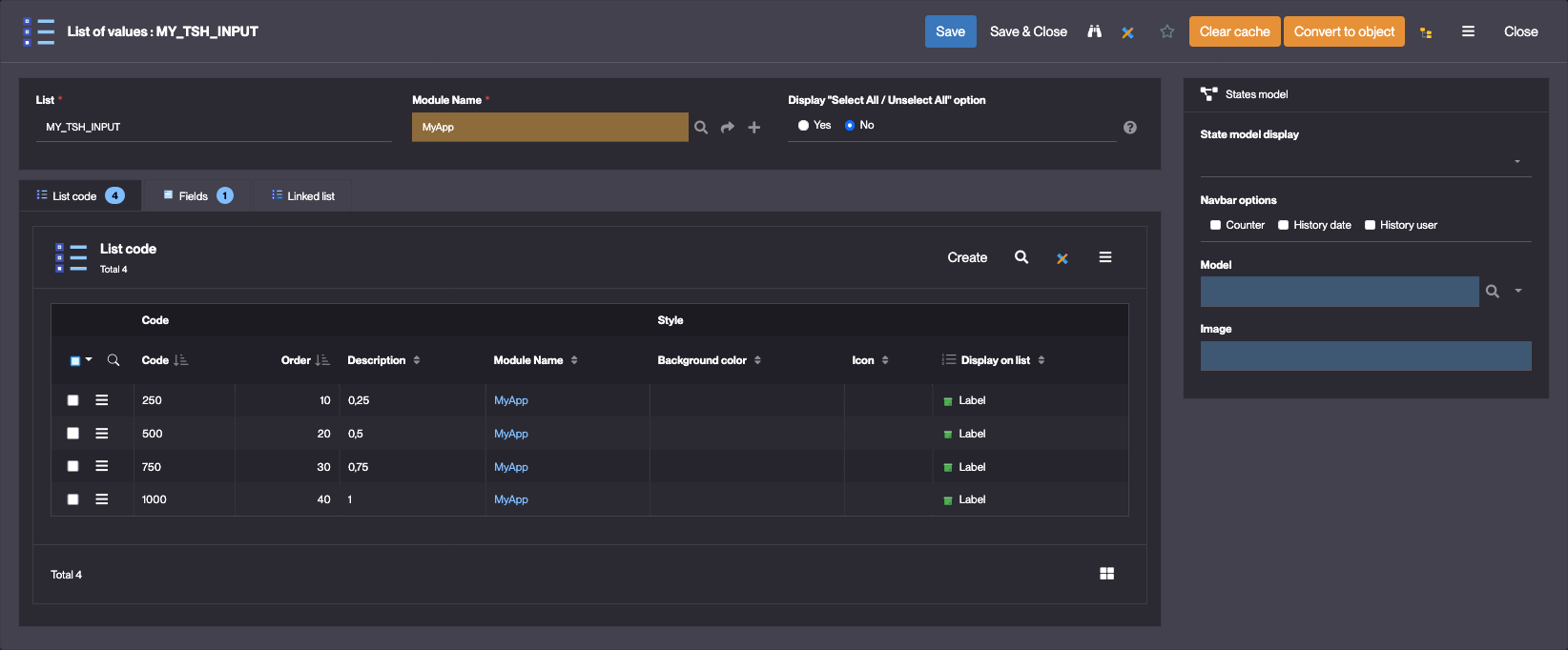
- An "input" field for the time sheet - preferably an enumeration field with values like "0,25" / "0,5" / "0,75" / "1" - must be created. This field will be used to input data within the time sheet.
List of values configuration
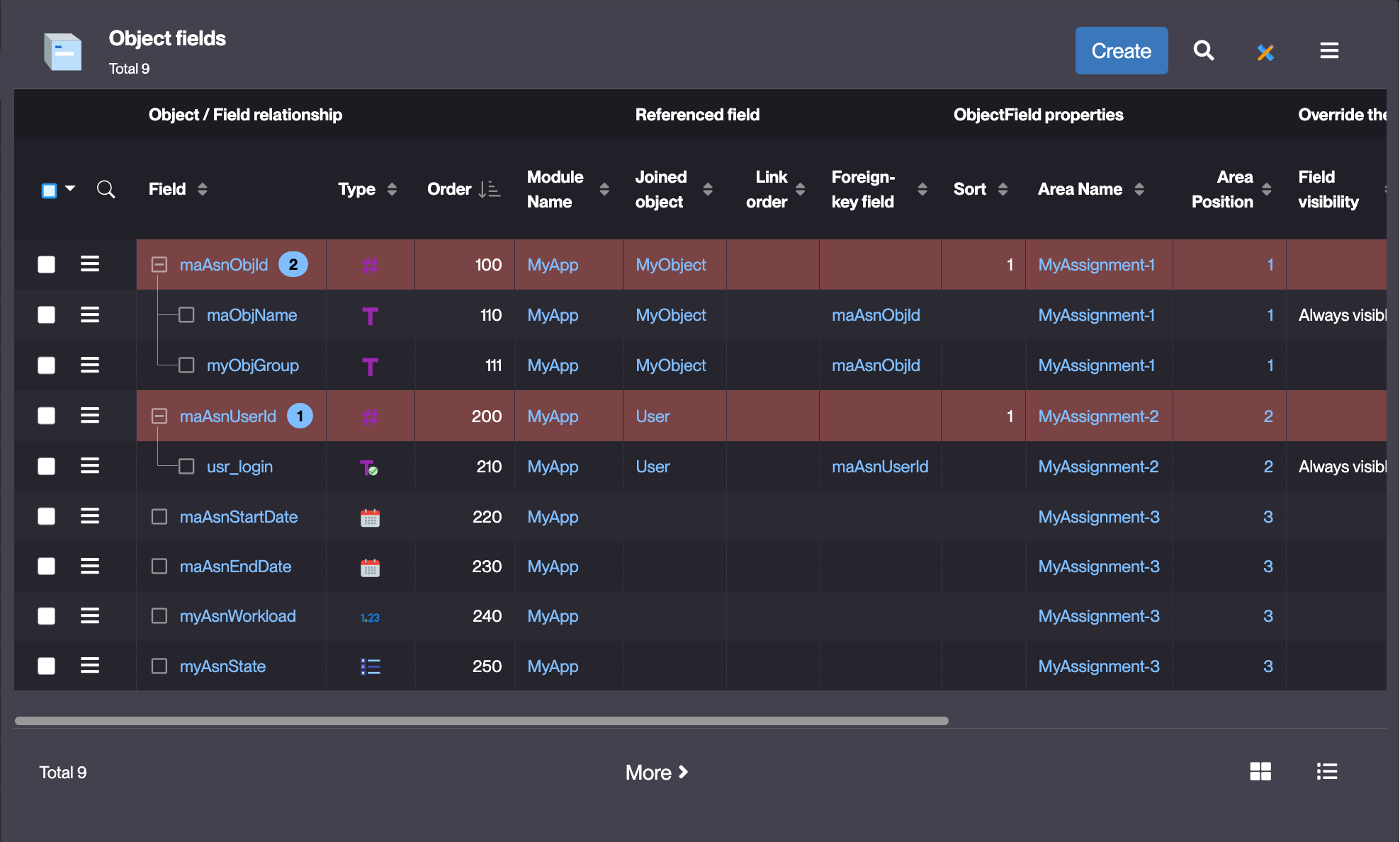
- The N,N object must meet the following requirements:
- It must have start and end date fields
Once the time sheet is created, the Generate button is used to create the time sheet object which will store the data entered. To allow users to access / update the time sheet, they must be granted to a READ / CREATE / UPDATE function linked to the generated time sheet object.
Timesheet configuration
In the User Interface > Objects rendering > Timesheet menu, click Create
| Field | Description |
|---|---|
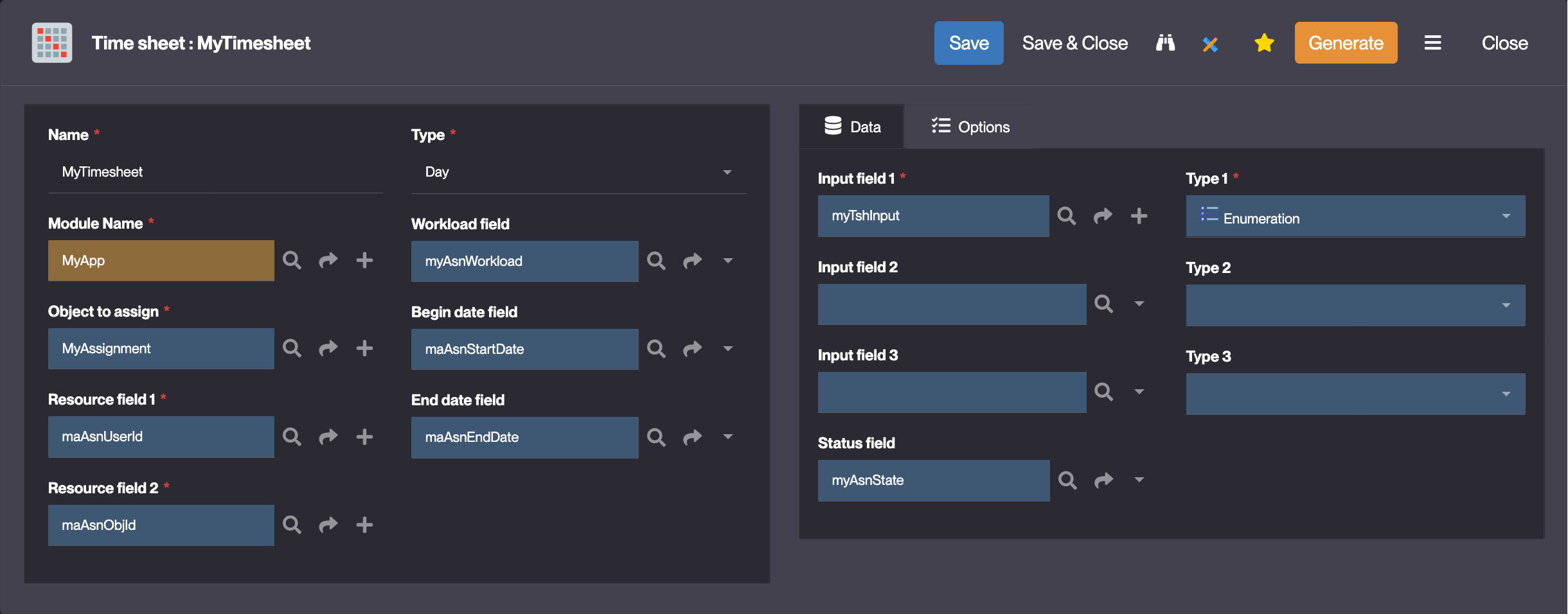
| Name | The name of the time sheet |
| Type | The type of the time sheet (granularity of the time sheet : Day, Week, Month) |
| Object to assign | The N,N object between the two ressource objects |
| Resource field 1 | One of the foreign key fields of the N,N object |
| Resource field 2 | One of the foreign key fields of the N,N object |
| Workload field | The value is used to display the workload available for a given assignment |
| Begin date field | The field used to store the begin date of the assignment |
| End date field | The field used to store the end date of the assignment |
| Input field | The input field of the time sheet (e.g. 0,25 / 0,5 / 0,75 / 1) |
| Status field | The status field of the assignment object |
| Use Gantt diagram | Display a Gantt diagram linked to the time sheet |
| Use Resource Chart | Display a chart under the time sheet |
Timesheet configuration example
Timesheet
Assignment (N,N) object fields
Usage
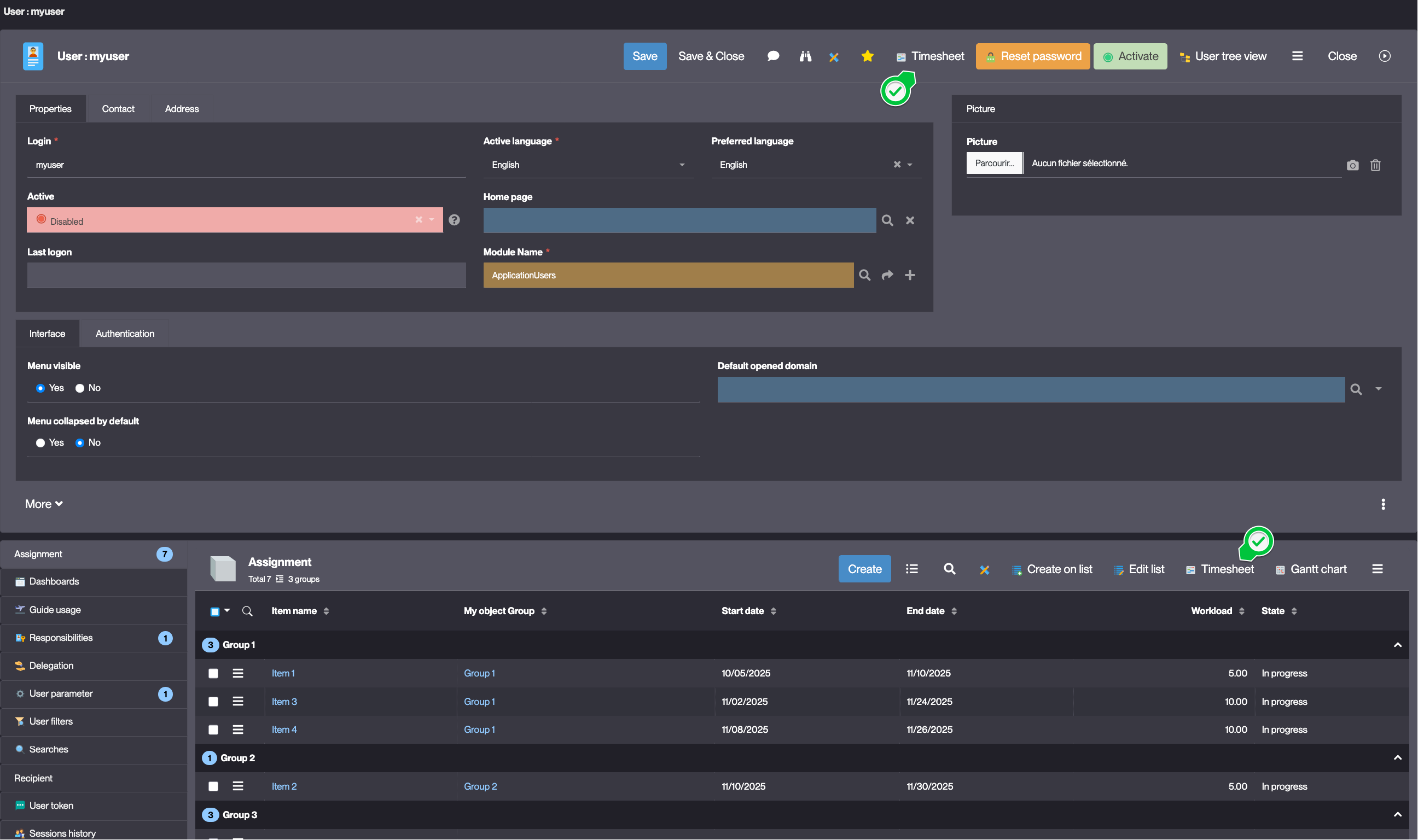
Configured time sheets are accessible via the Timesheet button:
- on the form of both resource objects
- on the N,N panel of both resource objects